
Latch
File access control for macOS

Coming soon
Latch adds an approval step when apps read sensitive files.
Defend against supply chain attacks, misbehaving AI agents, and other unauthorized access to sensitive files.

Access via file system
When you protect a file, it's replaced with a symlink to an endpoint on a local volume controlled by Latch. Files are accessed normally. No wrappers or changes to workflows.

Stored in Keychain
The protected file contents are stored in Keychain and synchronize with iCloud Keychain if enabled in System Settings. Keychain files are also supported.

Use in GUI or Terminal
Use an app or run a command that accesses a protected file and the approval dialog will show. To use Latch itself in the CLI, install the latch command line tool to a path of your choice.
$ latch protect ~/.ssh/id_ed25519
$ ssh foobar.example.com

$ latch protect ~/.aws/credentials
$ aws s3 ls
Approve with Touch ID
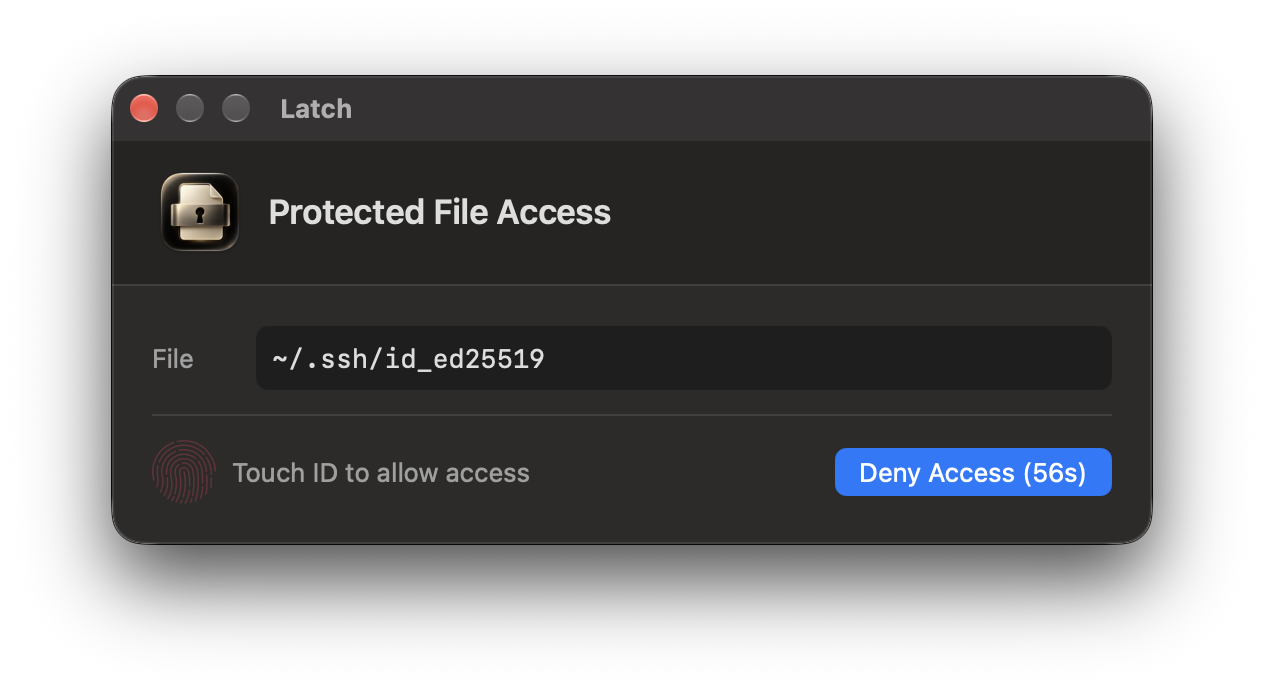
When a protected file is read, Latch shows an access request. Approve with Touch ID or the Allow Access button. If not approved in 60 seconds, access is denied.

Legacy support
On older macOS versions without FSKit, Latch uses named pipes to deliver protected contents after approval. Named pipes work with tools that read streams, but some apps require regular files.

Free
Latch is free to use. No in-app purchases, no account, no subscription, no third-party services, and no data collection. Runs sandboxed and distributed through the Mac App Store.
Technical Details
-
Why doesn’t the approval dialog show the app’s name?
Latch is implemented using FSKit on macOS 27 and above, or named pipes in older versions. Neither tells us which app is accessing the file. macOS has an Endpoint Security entitlement that could help, but it's too broad for what this app needs, and using it precludes distribution through the Mac App Store which is a requirement. Hopefully in the future FSKit will provide this information as well. Personally it makes sense to me, since macOS is mostly used in single-user environments, where app context is more informative than user/group ID.
-
Why does Latch hook
readinstead ofopen?This is mostly due to caching behavior. The goal is to show an approval dialog every time a protected file is accessed. During development, it was found that macOS sometimes caches
opencalls and different processes accessing the same file didn't trigger approvals. This was true even when disabling caching via fairly new (June 2026) FSKit cache controls. -
How do FSKit and named pipes differ in security?
FSKit asks for approval for each data-read request and returns a permission error if denied. A named pipe is a shared stream: another app running as you can race an approved reader and receive some or all of the contents. Denying a pipe request produces an empty stream, not a permission error. Prefer FSKit when available. However, with FSKit, a malicious app that wants to read some file could wait until a file descriptor for it is held by a legit app (by polling
lsoffor example) and access it, hoping the user will be tricked into approving two adjacent approvals. -
Why do some apps trigger more than one approval?
Apps can read a file several times. FSKit approval happens on reads, so opening a file in an editor can trigger multiple requests.
-
How do I restore protected files to their original condition?
You can always unprotect a file to restore it to its original condition: right-click on the file in the Latch GUI and select "Unprotect", or the CLI:
$ latch unprotect ~/.ssh/id_ed25519In fact, since files are stored in Keychain, you can use Keychain Access to right-click protected files and "Copy Password to Clipboard" to copy the file contents and then use
pbpasteto overwrite the file:$ tmp=$(mktemp) && pbpaste > "$tmp" && mv -f "$tmp" ~/.ssh/id_ed25519